
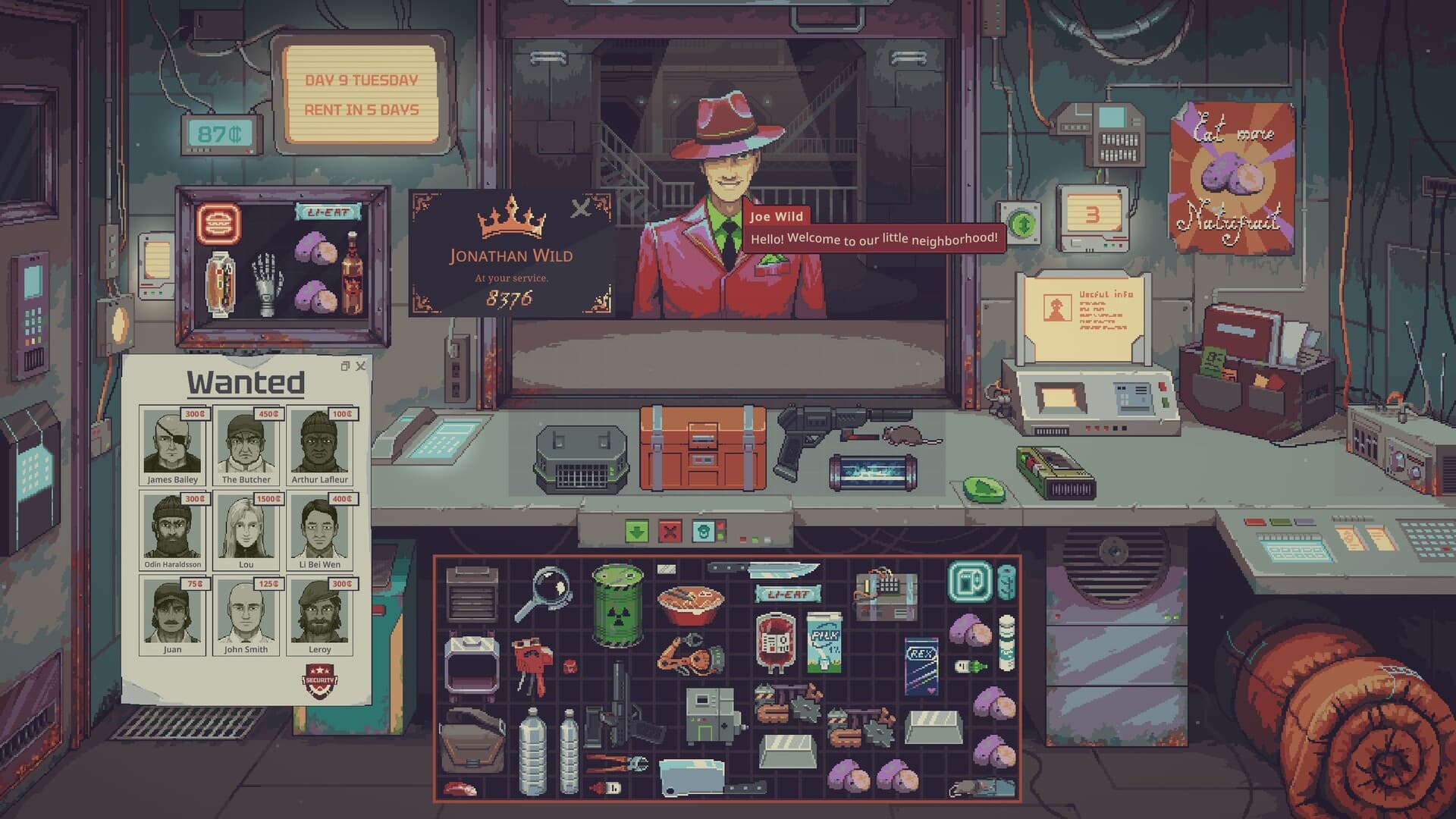
The Probably Stolen Demo is a free Windows download on Steam, released on September 14, 2026. It includes three starting scenarios plus hardcore mode, with water-testing and purification equipment available immediately in the Water Merchant scenario. The full game is a separate Steam application with a planned October 28, 2026 release, so installing the Demo does not unlock the finished release.
01
Where to download the Demo
Open the official Steam Demo page and use the installation option shown there. Its application number is 4349200, which distinguishes it from the main game's application number, 4348910. If Steam takes you to a wishlist rather than the Demo installer, check which store page you opened before looking for a workaround.
The Demo gives you a playable version of the shopkeeping loop, rather than just a video or announcement page. You can use it to decide whether you enjoy inspecting goods, negotiating with customers and keeping a business running under pressure. Treat this as a chance to learn the controls and judge the game for yourself before planning a full-game purchase.
02
What the free version includes
The store's explicit Demo-content summary confirms three starting scenarios and hardcore mode. Water Merchant is specifically identified as a scenario with testing and purification tools available from the start. The names and equipment lists of every other selectable start are 待确认 / Pending confirmation here, so use your installed scenario menu for the complete current selection.
The wider store description mentions gunsmithing, chemistry, farming, fencing goods and other shopkeeping careers. Those examples explain the game's range of products and risks, but they are not a verified list of all Demo starting options. A career mentioned in promotional text should therefore not become a promise that you can select that exact start in the free version.
Hardcore mode is listed as part of the Demo's content. Its complete current rule set, including every failure condition and starting restriction, is 待确认 / Pending confirmation in this guide. Read the mode's displayed instructions before selecting it, especially if your first goal is simply learning item inspection and the trading interface.
03
A useful first-session plan
For your first run, choose a start whose equipment and instructions you can understand, then follow the beginner guide. Concentrate on the relationship between buying stock, checking what it is and finding a buyer who will accept it. Expanding into several unfamiliar product lines at once makes it harder to tell which decision caused a loss.
Water Merchant offers a concrete place to practice because the Demo supplies the relevant testing and purification kit immediately. Follow the water purification guide for the confirmed tools and current-version cautions. Testing the liquid and understanding the selling label are different questions, so check both before treating a bottle as ready for sale.
If you prefer learning general trading first, use the item appraisal guide alongside a small set of familiar goods. The official premise makes rising rent and misleading merchandise part of the business pressure. A sensible learning strategy is to keep some spending flexibility instead of committing all available cash to an item whose value you cannot yet assess.
04
What changed from the earlier Playtest
The Demo description identifies a new machine and item, the Toolbox, and upgrades for both the Bottle Printer and Vacuum Robot. UPDATE 049 provides the detailed changes accompanying the new Demo build. These are specific improvements to the earlier testing version, rather than proof that every advertised full-game feature is already available.
The Toolbox can hold tools, including the blue and red labelers, and number keys one through nine equip the corresponding stored tool. The same update says it can be bought from Doctor Jackson after day 14. That purchase condition belongs to the Toolbox; it should not be applied to unrelated equipment such as an Aug scanner or a water-testing device.
The Bottle Printer can be upgraded with electronic parts to unlock its normal and large versions. A Common Electronic can upgrade the Vacuum Robot with an incinerator feature, which uses double its normal power when enabled and destroys collected feces after cleanup. These changes give existing machinery additional functions, so compare their displayed costs and power needs before deciding whether an upgrade fits your shop.
05
Inventory controls worth learning early
UPDATE 049 introduces selecting several items by dragging a selection box, then moving them together. It also adds a right-click sorting menu for grid inventories and lets players preview containers and machines before buying. These controls are useful when checking stock because a container's outer appearance does not tell you everything about what you are purchasing.
Selected goods can be used together on a target item, and holding Shift allows precise placement into another inventory. Mouse-wheel directions and the middle mouse button handle rotation and flipping while dragging. Practice these controls with goods you already understand so that rearranging your counter does not become another distraction during a difficult trade.
06
Windows requirements and display support
The official minimum requirements list a 64-bit Windows 10 system, an Intel Core i3 or equivalent processor and 8 GB of RAM. The graphics requirement is a GTX 650 Ti equivalent or better, with DirectX 10 and 1 GB of available storage. These specifications describe the listed minimum hardware; they do not guarantee a particular frame rate on every computer.
The game's native aspect ratio is 16:9, and the store notes windowed play on 21:9 and 32:9 monitors. UPDATE 049 also discusses docking interface elements onto the black bars when using fullscreen on non-16:9 displays. If your interface looks different from a screenshot, compare the actual display mode and current in-game settings before assuming an item window is missing.
07
Demo languages versus full-game languages
The Demo lists English, German, Japanese, Russian and Simplified Chinese for interface and subtitle support. The main game's store lists those five languages plus French, Spanish from Spain and Polish. If you want one of those three additional languages, do not assume the current Demo includes it merely because the upcoming full release advertises it.
This website offers its own translated guides, which are separate from the game's language options. A Spanish guide can explain a mechanic without changing the language menu inside your installed Demo. Check that menu before choosing a language-dependent play session, and use the release information for the broader full-game listing.
08
Saves, playtime and what remains unconfirmed
The August announcement in the official Steam news feed says players can transfer Playtest saves to the Demo. That statement identifies one direction of transfer, from the earlier testing version into the public Demo. Exact handling instructions and compatibility for every old save revision are 待确认 / Pending confirmation, so keep the original file before trying an import.
A promise to carry Demo saves into the full release has not been established in the checked announcements. A fixed Demo playtime limit or a guaranteed number of playable in-game days is also 待确认 / Pending confirmation. The new load-menu Discover button finds manually added saves, but that convenience does not establish compatibility with every future version.
For a practical next step, keep playing the official Demo and focus on one shop problem at a time. Use appraisal help when an item's value is unclear, water guidance when preparing liquid stock, and Aug identification when customer safety becomes the issue. This guide's version facts were checked on October 6, 2026; a later developer update may change the available content or save advice.