
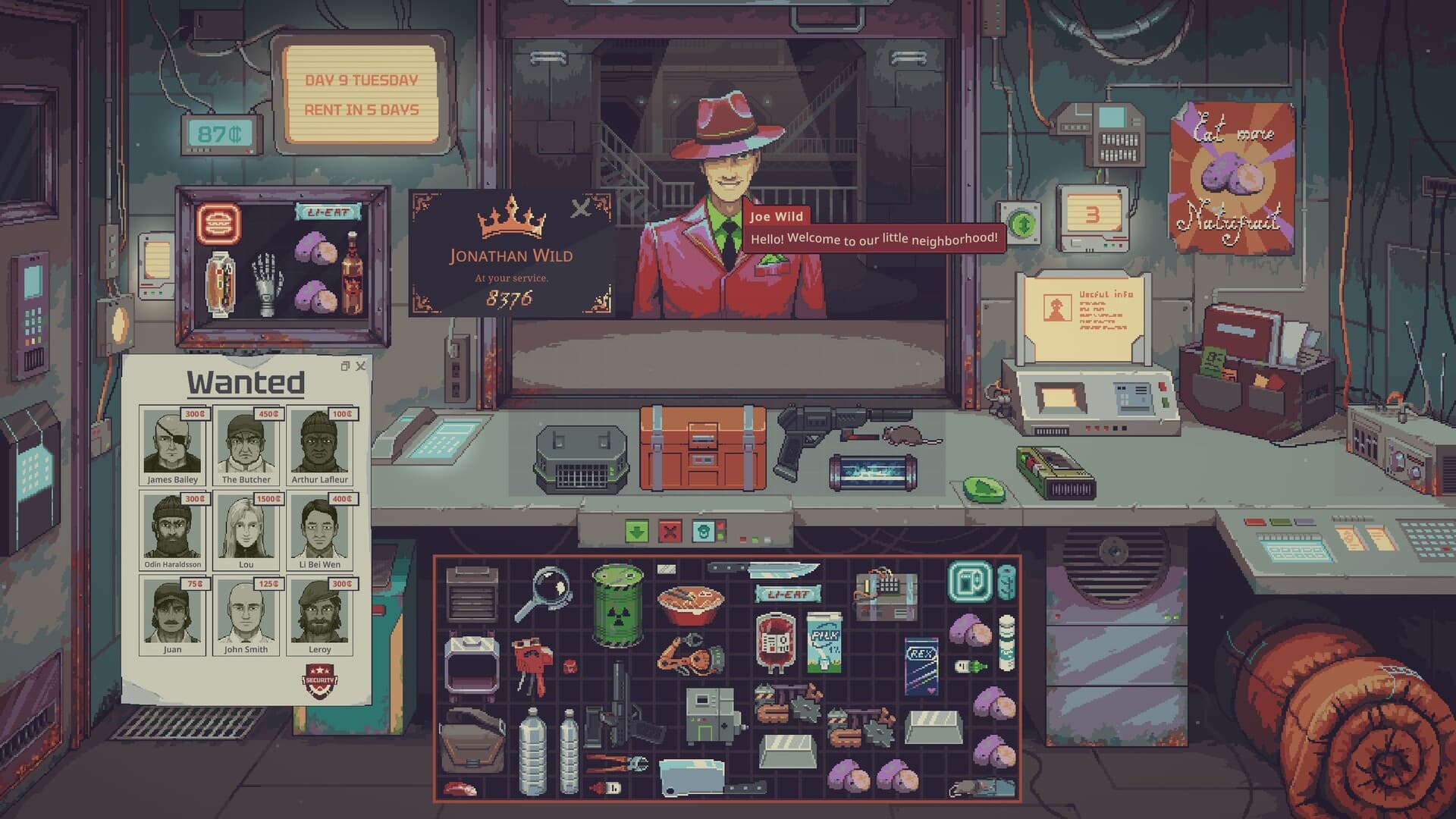
To begin the water business in Probably Stolen, choose the Demo's Water Merchant scenario and use its starting testing and purification kit. Check the liquid with the available testing tool, follow the equipment's instructions and review the result before offering it for sale. This Probably Stolen water guide explains the confirmed tools, ownership rules and container changes without inventing a universal purification recipe.
01
Begin with the Water Merchant kit
The official Demo page explicitly says the Water Merchant scenario provides its water-testing and purification kit from the start. That is a documented improvement over the earlier Steam Playtest, so an old instruction to obtain the entire kit first may not apply to this scenario. Examine the tools you receive before spending money on additional equipment. The Demo's three starting scenarios and hardcore mode describe its content scope, not three different water recipes.
The main Steam page describes water as a trade with its own liability and confirms that it requires testing and filtering. Its broader production-chain description is not a complete water recipe manual. The full game remained planned for October 28, 2026 in the October 6 research snapshot. Treat this guide as Demo guidance based on the published information, rather than a claim that the unreleased full game's systems have been tested.
02
Test the liquid and find the current reading
Use the available test information to establish what you are handling before choosing a treatment. UPDATE 049 identifies the Aquascan in its liquid-scanning fixes and says the last scan tooltip should be visible immediately after a liquid-container scan. The update also brings a scanner's panel to the front when it is used, even if another item window previously covered it. Look for that result rather than guessing quality from the liquid's color or the seller's claim.
The patch also fixes unexpected behavior when a scanned liquid container is subsequently dragged. That matters when comparing advice recorded in the earlier Playtest with the newer Demo interface. Complete the check, read the information and then move the container deliberately as part of your own working routine. A full explanation of every Aquascan field and all contaminant thresholds remains 待确认 / Pending confirmation in the researched official material.
03
Filter according to the equipment you own
Read the instructions and relevant item information for the filter or purifier available in your run. UPDATE 049 records a fix for pouring a water ration into a filter without the water actually being filtered. A successful transfer should therefore not be treated as sufficient evidence that you understood the resulting product. Review the post-treatment information before deciding what quality to describe to a customer.
The notes also fix a precision problem where the Hydratech Micro Purifier sometimes failed to reach 98% purity. This is a statement about a named machine and a corrected calculation, not a promise that every filter delivers that percentage. It does not establish a complete treatment sequence or prove that every kind of liquid belongs in the purifier. Exact contaminant-specific recipes, processing quantities and guaranteed final results remain 待确认 / Pending confirmation.
04
Check ownership before using the UV filter
The UV filter cannot be used on unowned items according to UPDATE 049. You may inspect or preview an offered item, but that does not let you process it as though it were already your stock. Confirm ownership before trying the filter, especially when working with goods still involved in a customer's offer. The researched source calls the tool a UV filter, so this guide does not substitute an unverified UV lamp or another device.
The same update allows only owned items to be equipped and prevents owned goods from being inserted into non-owned containers. Keep the container's ownership separate from your understanding of the liquid inside it. Before planning a treatment, make sure the handling sequence respects both restrictions instead of relying on a Playtest loophole. These ownership conditions can explain why an attempted action is unavailable without proving that the water itself is unsuitable.
05
Distinguish filled containers from empty ones
Water containers count as water goods while holding liquid and as household goods when empty. UPDATE 049 also classifies the water pitcher as a Household Item. An emptied container therefore does not retain the same water-goods status simply because it previously carried saleable water. Check whether the transaction concerns the liquid, the empty vessel or the filled container before interpreting what a buyer wants.
Market events now correctly reprice both the liquid and the container itself under the published update. That makes the vessel part of the price decision rather than an invisible free accessory. Compare the current displayed information after an event instead of relying on a price remembered from an earlier day. The source does not provide a universal container price or a fixed profit margin for any water-production loop.
06
Match the product to the buyer
Premium Spring Water has the Water tag in UPDATE 049, but the notes say non-Upper Level customers and tourists will not accept it. The tag alone consequently does not establish that every customer who buys water will accept this particular product. Check the relevant customer and the actual offer before committing money to a batch intended for broad resale. The update establishes a rejection restriction, not a guarantee that every Upper Level customer purchases it.
A separate fix stops customers confronting the player about an incorrect water-quality label on an empty liquid container. Keep that empty-container exception separate from quality claims made about containers that still hold water. It does not establish that water labels can safely describe any result you want, or that a label changes the liquid's actual condition. Use the observed test information for your description rather than treating a labeling tool as purification equipment.
07
Plan bottles and inventory space together
The Bottle Printer can be upgraded with electronic parts to unlock its normal and large versions according to UPDATE 049. Preview machines and containers before purchase, a feature added by the same update, so you can compare equipment with the work you currently understand. Decide whether a printer fits your existing water routine before spending your rent reserve on expansion. The notes do not establish a universal first purchase, bottle-output rate or payback period.
Right-click a grid inventory to access sorting when the working area becomes difficult to manage. Drag a bright-white selection box to move several items together, and hold Shift during the drag for precise placement in a different inventory. These documented controls can help arrange the vessels and tools you already recognize. Group selection is not evidence that every selected liquid can be combined or treated with one action.
08
Expand only after understanding the sale
Consider the liquid's purchase, any equipment investment and the container when planning a water transaction. Keep the next rent payment available while learning, because the official description links rent arrears to lower shop attractiveness and fewer customers. Working with a manageable quantity is a budgeting recommendation, rather than an invented machine capacity or mandatory batch size. Increase your commitment when you can explain the test, treatment and proposed sale in your own run.
If a displayed reading or treatment step remains unclear, pause a large purchase rather than promising a result you cannot verify. The beginner guide explains the wider rent and inventory routine, while item appraisal covers risks in other kinds of stock. Check Demo information when comparing equipment instructions from a different version. None of these guides substitutes an unsupported fixed selling price for the information shown by your installed build.